
 Estimating Edge’s team of experienced construction professionals and software engineers have developed the industry’s smartest takeoff and estimating software solutions for competitive estimates.
Don’t just estimate faster. Estimate better.®
- /
- /
- /
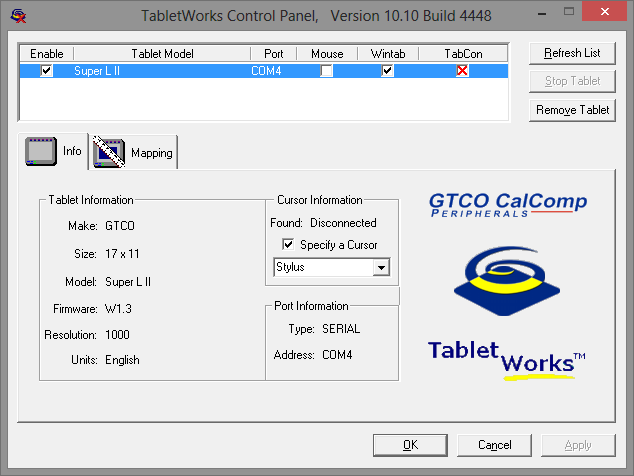
TabletWorks setup
The image below displays the proper configuration of the TabletWorks Control Panel. (The EDGE should be closed when configuring TabletWorks)
Enable check box checked
Mouse check box unchecked
Wintab check box checked
TabCon check box red X
Specify a Cursor check box checked and stylus selected in the drop down
You can download the latest TabletWorks digitizer driver here: