
 Estimating Edge’s team of experienced construction professionals and software engineers have developed the industry’s smartest takeoff and estimating software solutions for competitive estimates.
Don’t just estimate faster. Estimate better.®
- /
- /
- /
Scales and Pitches
Scales and Pitches
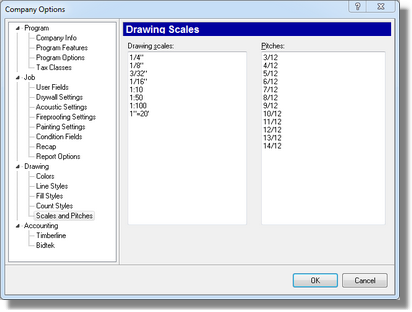
This dialog is where you create the list of Scale and Pitches that appear on the drop down menus of the Page List and Drawing screens.
Just click in the field where you want to make an entry and start typing.
The EDGE will accept Architectural Scales (1/8″), Engineering Scales (1″=20′) and Metric Scales (1:50). With respect to Pitches just enter as you see them entered in this example.